

Try us out for free
- 1 Pro-Level Edit ($300 value)
- 3 Custom Thumbnails ($150 value)
- Channel Growth Audit ($100 value)
Total Cost:
$550
$0
Takes 2 minutes. No credit card required.
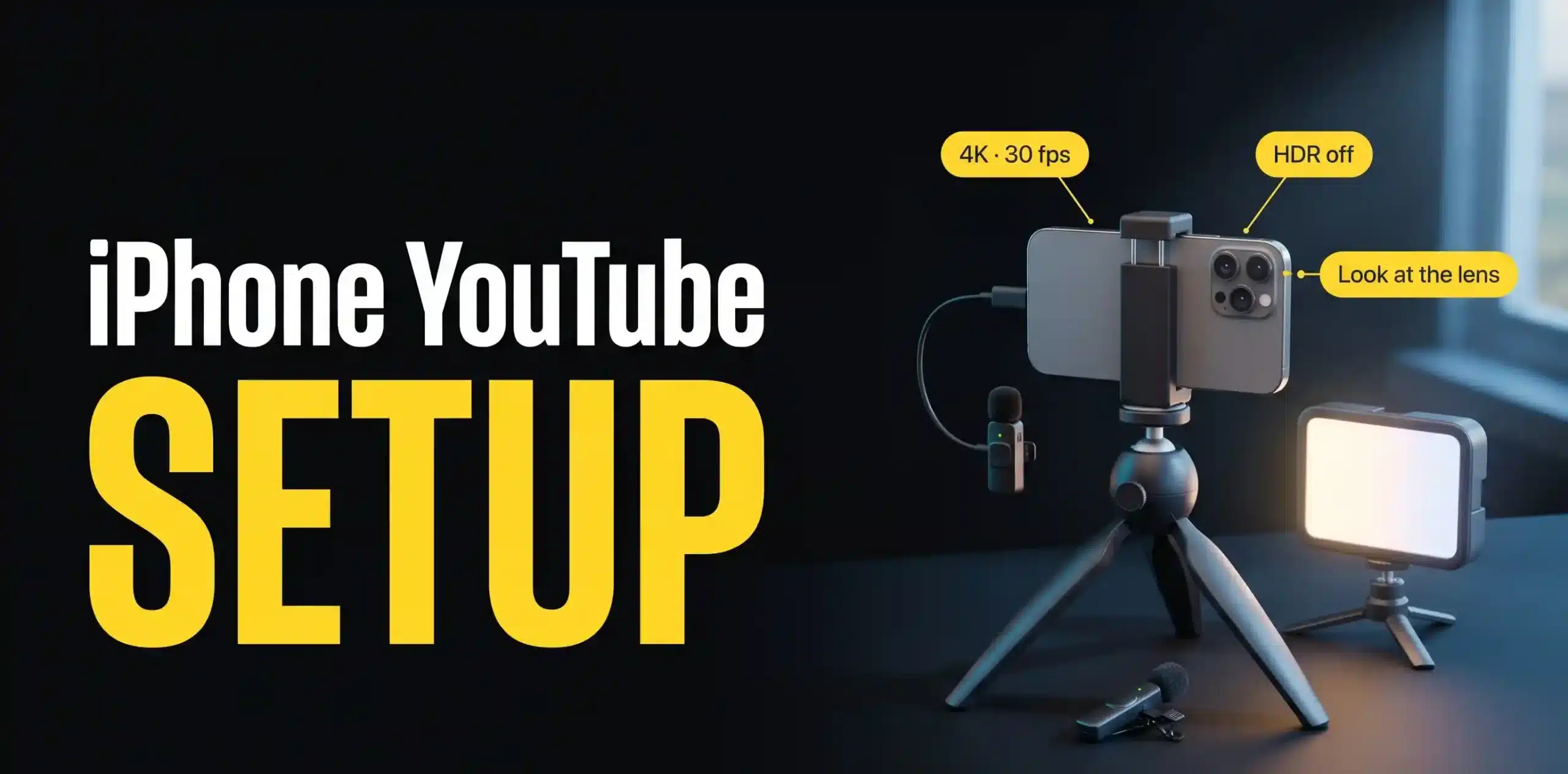
The right iPhone video settings for YouTube take about three minutes to change, and most business owners never touch them. That's why their footage has skin tones that drift, brightness that pumps up and down, and a washed-out look after editing.
This is the checklist we give every new client on our free trial, plus the rest of our recording guide. We edit this footage every day, so it's written from the editing side. And it matters: in Wyzowl's 2026 survey, 85% of people said a video had convinced them to buy.

Most guides are written for filmmakers. These are the only settings that change how a business video looks after editing.
| Setting | Where | Choose | Why, for business videos |
|---|---|---|---|
| Resolution and frame rate | Settings, Camera, Record Video | 4K at 30 fps | Sharpest picture, room to crop in the edit, normal-looking motion. |
| Format | Settings, Camera, Formats | High Efficiency | Roughly half the file size of Most Compatible at the same quality. |
| HDR Video | Settings, Camera, Record Video | Off | HDR clips often look washed out or overexposed once edited. |
| Lock White Balance | Settings, Camera, Record Video | On | Stops your skin tone shifting warm and cool mid-sentence. |
| Auto FPS | Settings, Camera, Record Video | Off | Keeps the frame rate fixed, even when the room gets darker. |
| Enhanced Stabilization | Settings, Camera, Record Video | Off on a tripod | It crops in to stabilize, which a phone on a stand doesn't need. |
| Lock Camera | Settings, Camera, Record Video | On | Stops the iPhone switching lenses in the middle of a take. |
| Camera and zoom | Camera app | Rear camera, 1x | The main rear lens gives the cleanest picture, especially indoors. |
Can't find an option? Search its name in Settings. If it isn't there, your iPhone doesn't have it, so skip it.
The rear cameras are much sharper than the selfie camera. You can't see yourself while recording, which is what a small monitor or a quick test clip is for.
When an editor punches in from a wide shot to a tighter one, 4K stays sharp and 1080p starts to soften.
The cost is storage: one minute of 4K at 30 fps takes about 170 MB. Keep at least 10 GB free before you record.
High Efficiency (HEVC) keeps files small. Most Compatible (H.264) opens on older computers, but 4K in H.264 can run 300 to 400 MB per minute, about double.
Stay consistent: YouTube says videos should be uploaded at the same frame rate they were recorded in, and mixed frame rates can make motion look jerky.
When Auto FPS is on, your iPhone can drop to 24 fps in low light, so one take is 30 and the next 24. Turn it off.
In countries with 50 Hz power (most of Europe, India, Australia), some lights flicker on camera at 30 fps. Turn on Show PAL Formats and record at 25 fps instead.
HDR looks great on the iPhone screen, but it often looks overexposed in an editing timeline and on the standard screens most viewers use.
Lock White Balance arrived in iOS 17 and fixes color for the whole clip, so a passing cloud can't turn your face orange, then blue.
These defaults are built for handheld family videos. On a stand, they work against you.
Together they decide whether footage is ready to cut or needs fixing first, which our YouTube video editing service sees on every upload.
Crisp on your phone, soft on YouTube? With the right iPhone video settings for YouTube in place, it's almost always one of these four.
| What you see | What's causing it | The fix |
|---|---|---|
| Blurry right after publishing | YouTube is still processing the HD and 4K versions | Wait. Upload as unlisted and publish once HD is ready. |
| Blocky, smeared detail | The file was sent through WhatsApp, Messenger or text | Upload the original file through an upload link or AirDrop. |
| Washed out or too bright | HDR Video was on | Turn HDR Video off for future recordings. |
| Grainy, noisy picture | Not enough light, or zoomed in past 1x | Face a window, add a light, and stay on 1x. |
The first catches almost everyone: new uploads show in low quality first while HD and 4K process. YouTube suggests uploading as unlisted and publishing once all qualities are ready, which is what we do for clients.
Viewers forgive a soft picture, not bad sound. Yale researchers found listeners rated speakers with tinny audio as less credible and less hireable, even when the words were identical.

Hollyland LARK A1 Combo wireless mic

Hollyland LARK M2 (upgrade pick)

Sensyne 60 inch tripod

Cooper desk phone holder
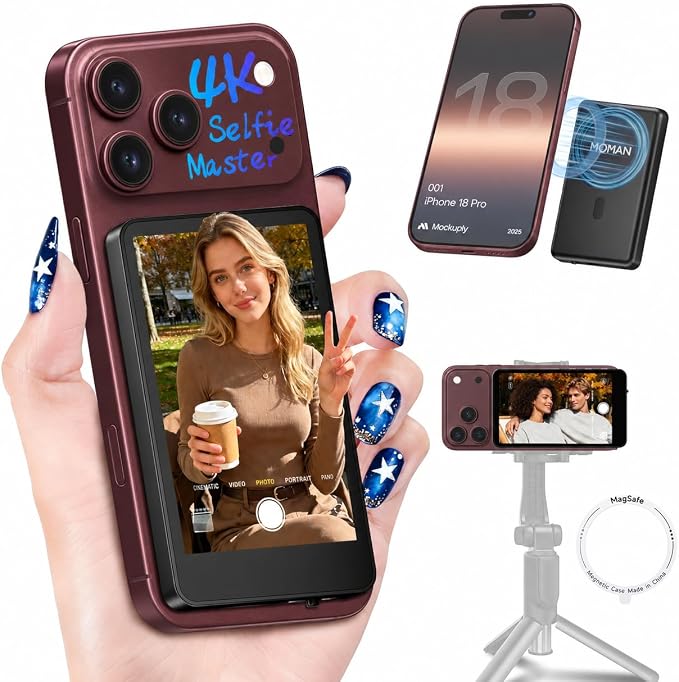
Moman rear camera monitor

NiceVeedi light panel
A clip-on mic sits a hand below your chin, so your voice is the loudest thing it hears. The built-in mic hears the whole room.
The A1 Combo includes both receivers. For the M2, pick the USB-C option on iPhone 15 or newer.

Record 10 seconds and watch it back. Face dark? Turn toward the light. Still dark, or recording at night? That's when the light panel is worth buying.
A-roll is you talking to camera. B-roll is footage that plays over your voice, like a product close-up or a screen recording.
You only film A-roll. Our editors add B-roll, titles, music and cuts as part of our YouTube video editing service, and our work page shows the results.
| Word | What it means |
|---|---|
| Raw footage | The video file straight from your phone, before anyone edits it. |
| Take | One try at recording. If you mess up, you do another take. |
| Hook | The first few seconds of a video, the part that makes people keep watching. |
| Landscape | Phone held sideways so the video is wide. YouTube videos are wide. |
Viewers notice when your eyes drift to a laptop. Research shows a gaze still reads as eye contact within a few degrees of the lens, so your notes have to sit right next to it.
Skip buying one. On a Mac, the free Teleprompter.com app works like this:
Still drifting? Go one paragraph at a time. We cut the pauses.
A one-minute check that catches most first-recording problems.
Skip the full script. Pick one topic, jot 3 to 5 bullet points, and record a 20-second test. Then the real take:
Two minutes in Photos with the sound up can save a re-shoot.
| Check | What good looks like |
|---|---|
| Position | Your face is centered and your eyes are near the top line. |
| Eye contact | You look into the lens, not down at the laptop. |
| Light | Your face is bright and clear. |
| Color | Your skin looks the same from start to finish. |
| Picture | No shaking, and the background is tidy. |
| Sound | Your voice is clear, with no fan, traffic or echo. |
Upload it with the link we send, over Wi-Fi, and keep it on your phone until we confirm. Never send it through WhatsApp or text.
To see it done on camera, watch this recording setup walkthrough from a creator we partner with.
| Problem | Why it happens | What to do |
|---|---|---|
| Picture looks grainy | Not enough light | Move closer to the window or into a brighter room, and turn on the room lights. |
| Your face is dark | The window is behind you | Turn so the window is behind the phone or at your side. |
| Voice sounds far away or echoes | The mic is too far from your mouth | Clip the mic on your shirt, sit closer and close the door. |
| Voice is very quiet | The mic is off or not plugged in properly | Check both parts are on and the receiver is pushed in, then do a 10-second test. |
| Skin color changes | White balance isn't locked, or a light was switched on or off | Turn on Lock White Balance and leave the lights alone while recording. |
| You look away from the camera | You're watching the script or yourself | Move the script box right above the lens, take the monitor off, or go one paragraph at a time. |
Settings give you a clean recording. Leads depend on what happens next:

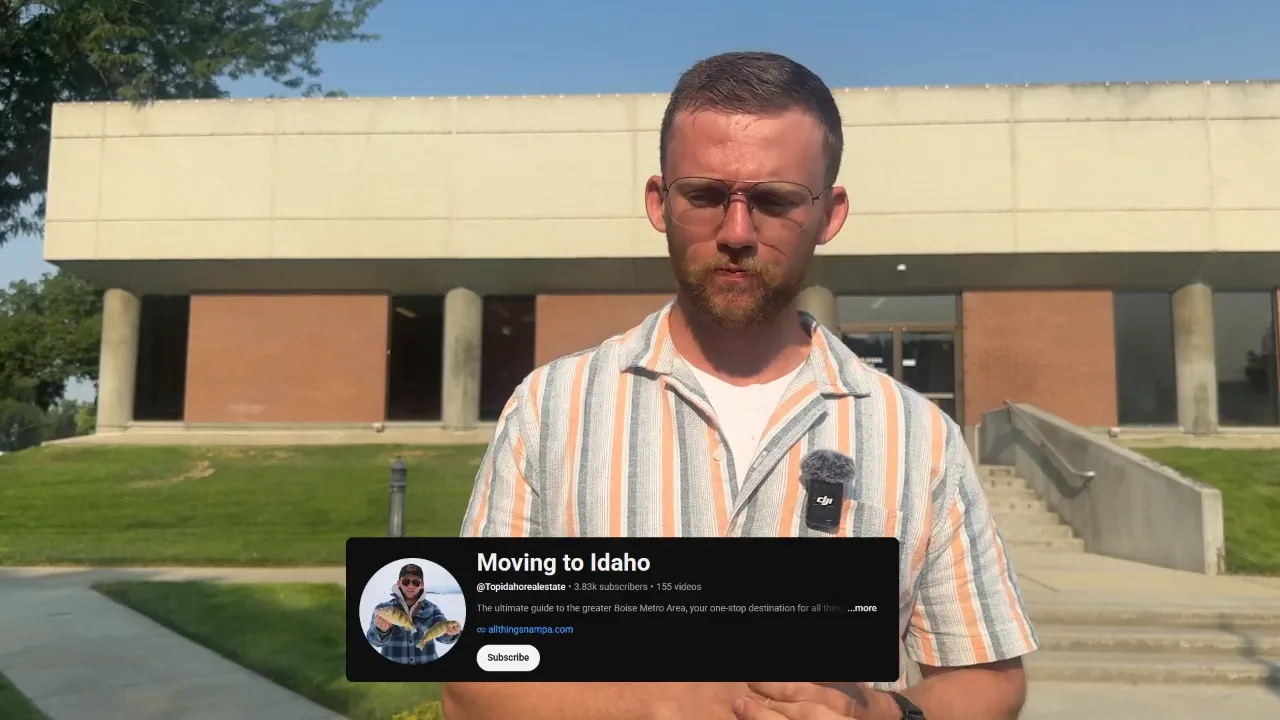
We saw this with Isaac Crace, an Idaho real estate agent. He came to us for editing, with videos under 700 views. Once we added SEO, one video passed 20,000 views.
Great footage on a topic nobody searches won't rank, and YouTube takes months of steady uploads to compound. Our YouTube channel management handles topics, scripts, editing, thumbnails, SEO and uploads, so you just record once a month.
Change the eight settings once, lock focus and exposure before every take, and send the original file. That covers the iPhone video settings for YouTube that matter for a business channel. A clip-on mic, daylight and your eyes on the lens handle the rest.
Your first video doesn't have to be perfect. When you're ready to hand off everything after the recording, our plans are on the pricing page.
Is 30 or 60 fps better for iPhone video on YouTube?
Use 30 fps for talking-head and business videos. It looks natural and keeps file sizes reasonable. 60 fps is for fast action and adds size without a visible benefit when you're sitting at a desk.
Is 4K worth it for YouTube?
Yes, if your iPhone offers it and you have the storage. 4K looks sharper even when viewed in 1080p and lets an editor crop in without losing quality. It uses about 170 MB per minute at 30 fps, so keep at least 10 GB free.
Should HDR Video be on or off for YouTube?
Turn it off for business videos. HDR clips often look washed out or overexposed once they're edited, and most viewers watch on standard screens. Switch it off under Settings, Camera, Record Video.
Why does my iPhone video look blurry on YouTube?
Usually YouTube is still processing the HD and 4K versions, which can take hours for long videos. It can also come from sending the file through a messaging app, low light, or zooming past 1x. Upload the original file and give processing time to finish.
Should I use High Efficiency or Most Compatible on iPhone?
Use High Efficiency. It keeps 4K files around half the size of Most Compatible at the same quality, and modern editing apps open it without problems. Choose Most Compatible only if your own computer can't play the files.

Founder, Syntak Media
I started Syntak because I kept seeing the same problem. Business owners knew YouTube could bring in leads on its own, but they didn't have the time, the strategy or the skills to compete there.
So I built Syntak Media, a done-for-you YouTube marketing agency. You press record, and we handle strategy, editing, thumbnails, YouTube SEO and channel management. Over 5+ years, that work has brought our clients 500M+ impressions and more than 20,000 leads.
Takes 2 minutes. No credit card required.